Exploring How AI-Powered Automation is Revolutionizing My Workflow, from Coding to Personal Tasks.
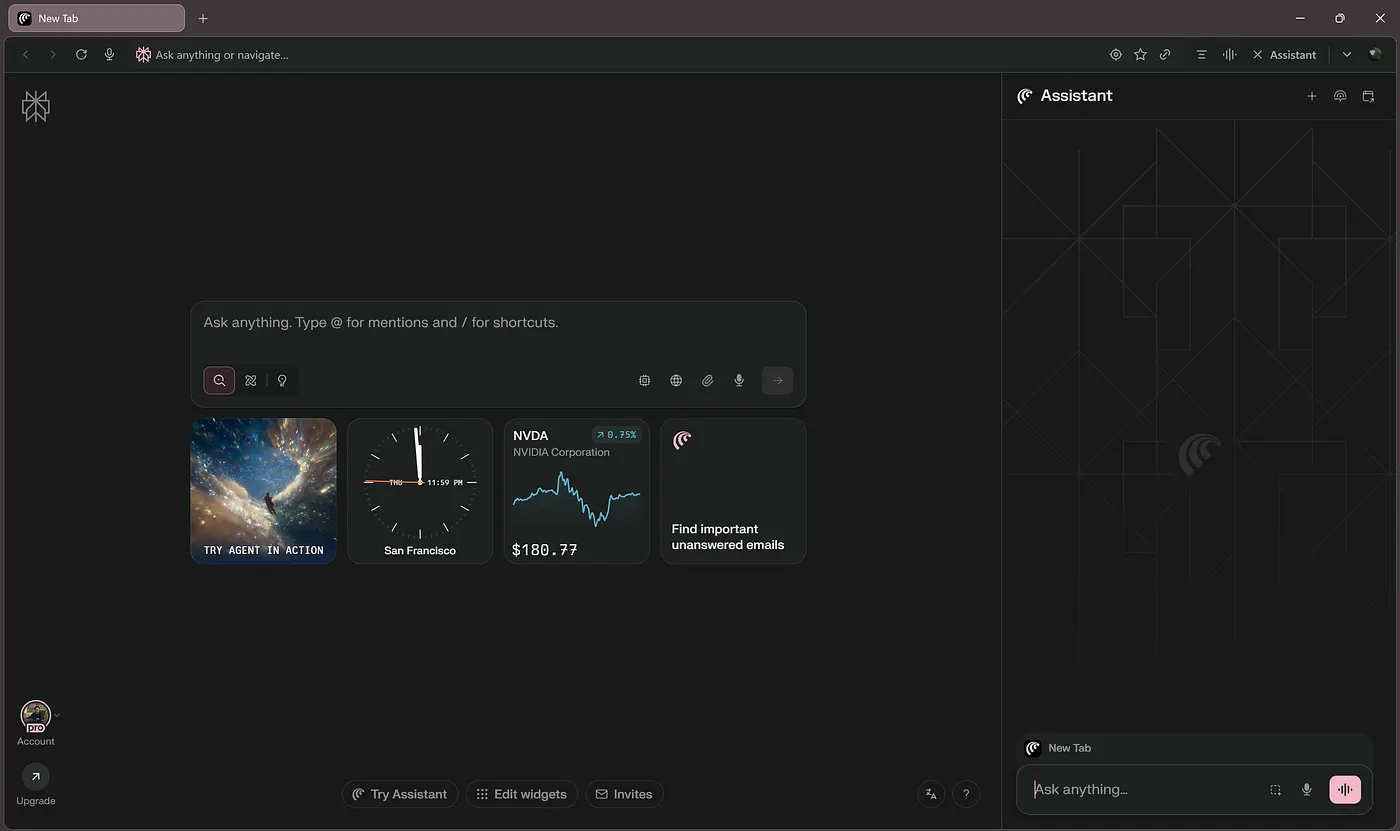
It's been about a week since I got my hands on an invitation to try the Comet Browser ☄️ by Perplexity, and I've gotta say, and I'm honestly blown away. I expected just another browser, but what I got was an AI-powered co-pilot for my workflow.
If you spend most of your day in Chrome or Edge, this might be the upgrade you didn't know you needed.
🤖 First Impressions: A Browser That Thinks
Comet's interface is simple and clean, nothing too flashy, just straightforward. But here's the thing: it's not just another browser. Comet actually thinks with you. It learns your flow and anticipates your next move, and it helps you get things done faster and smarter. I thought I'd just get better tab management; instead, I got a digital teammate that never needs a coffee break.
🔄 My Week with Comet: What I Tested
Here's what I've tried so far, and how it's honestly been a game-changer for my workflow.
1. 🧑💻 Debugging Code on My Local Server
As a developer, debugging is something that can eat up a lot of time. I've tried everything, from print statements to debugging tools, but Comet actually helped me debug a local server.
I fed it some code, asked it to look for issues, and just like that, Comet suggested a few tweaks that improved performance. It even recommended libraries I hadn't thought of. If you're a developer, you know how huge that is. It felt like having a dev teammate who never needs a coffee break.
2. 📝 Writing Commit Messages & Code Review Comments
As a developer, one of the most tedious tasks is writing commit messages and code review comments. How many times have you stared at your changes and thought, "What the heck do I even say here?"
Well, Comet fixes that. I tried asking it to summarize a PR for me and write a clear commit message. Not only did it do that, but it also formatted everything in a way that made sense. The best part? You can even set up your own custom patterns for the commit title and summary, ensuring consistency across your commits. Now, I can spend less time struggling with words and more time actually coding.
3. 📊 Instant Data Analysis & Code Execution
One of my favorite features has been Comet's ability to help with data analysis. I uploaded a small dataset and asked Comet to pull out key insights. In seconds, it gave me trends and even visualized the data in a neat chart.
I also ran a few Java code snippets through it. Just like that, Comet executed them and provided feedback. It's like having a data scientist and backend engineer rolled into one.
4. 🤖 Automating Website Actions
Comet makes automating website tasks incredibly easy. Whether you need to test a web app, fill forms, or automate multi-step workflows, you can do it all just by telling Comet in natural language. No scripts required.
From a developer's perspective, this means:
- Filling out forms automatically: Whether it's user registration or feedback forms, Comet handles it like a real user.
- Automating multi-step flows: For example, logging into a site, navigating through different pages, and interacting with modals, all in a single command.
- Testing input validation: Automating tests to check if form inputs trigger the right error messages or validations without manually going through every field.
Honestly, this could significantly speed up development workflows by handling the repetitive, time-consuming aspects of testing and form submissions. It's a game-changer for web development, especially when you need to validate user flows or automate routine actions during the development cycle.
5. 📅 Task Management with Notion and GitHub
I spend a lot of time in Notion and GitHub managing tasks, so I decided to see how Comet could help me stay organized. I tested it out with some public GitHub repositories that had open issues, asking Comet to summarize the current tasks and guide me through organizing them.
It didn't just pull up the data; it helped me prioritize tasks, broke down larger projects into manageable steps, and even suggested ways to address blockers in the open issues. I don't know about you, but I never expected a browser to do that!
6. 🧳 Planning a Trip
Testing Comet wasn't all about code and tech. I also wanted to see how it could assist with personal tasks. So, I asked it to plan a 5-day trip to Pryagraj, Ayodhya, and Kashi starting from Delhi. Within seconds, Comet provided me with the most optimal travel route, including train preferences based on my time constraints.
Not only did it organize the itinerary efficiently, but it also recommended train routes and times that perfectly matched my schedule. Comet even highlighted must-visit spots along the way and suggested lesser-known places like local temples and offbeat places that I hadn't considered. It was like having a personal travel agent, but way faster.
7. 📲 Automating LinkedIn Actions
Finally, I decided to test out something that has always been a pain for me: connecting with experienced professionals in Java Full Stack Development, Angular Development, and Data Science. The process of manually searching for the right people and sending individual connection requests is incredibly time-consuming.
So, I let Comet handle the task for me. I set up filters based on job titles, industries, and domains, and within seconds, Comet sent out 50 personalized connection requests on my behalf. It just took care of everything seamlessly. I was honestly amazed at how quickly and accurately it worked. It's like having a personal assistant who understands exactly who you want to connect with and gets the job done efficiently.
🌱 Still Early, But So Much Potential
Look, is Comet perfect? Not yet. Sometimes its suggestions are a bit off, or the integration with certain tools could be smoother. But I'm genuinely excited to see how this tool evolves. The fact that it already helps automate tasks, debug code, and plan a trip blows my mind. And if this is just the beginning, I can only imagine where it's going.
🎯 Final Thoughts
I don't think I've used a tool as powerful and intuitive as Comet in a long time. It's not just a browser, it's like having an AI-powered co-pilot for your daily work. If you're a developer, researcher, or even someone who just wants to get more done, Comet is worth checking out.
I'm already hooked, and I'm excited to see where this journey takes us. AI in the browser is here, and it's ready to help us work smarter.
🔗 Links
💬 What about you? Have you tried Comet yet?
If you've tried Comet, what's the weirdest or smartest thing you've made it do? And if you haven't… well, your browser might start feeling boring after this.